
Ask PM
AI Ticket Triage & Delivery Workspace
A chat-assisted product operations platform for Customer Service agents and Product Managers. Ask PM combines grounded product support, severity-aware ticket creation, human-controlled triage, delivery visibility, actionable insights, integrations, and workspace automation without giving the chat permission to edit code.
Closing the Gap Between Support and Product
Customer Service teams often hit product and code questions they cannot answer, forcing them to interrupt Product Managers for every uncertain issue. Meanwhile, manual classification, duplicated status pages, and disconnected configuration tools slow triage and make automated decisions harder to trust.
focused roles: Customer Service and Product
human-controlled ticket actions
code edits permitted from chat
Constant PM Interruptions
Support agents must ask a Product Manager whether customer-reported behavior is expected, a known limitation, or a real bug.
Inconsistent Ticket Quality
Manually filed issues arrive with uneven categories, severity, summaries, and technical context, creating avoidable triage work.
Fragmented Delivery Visibility
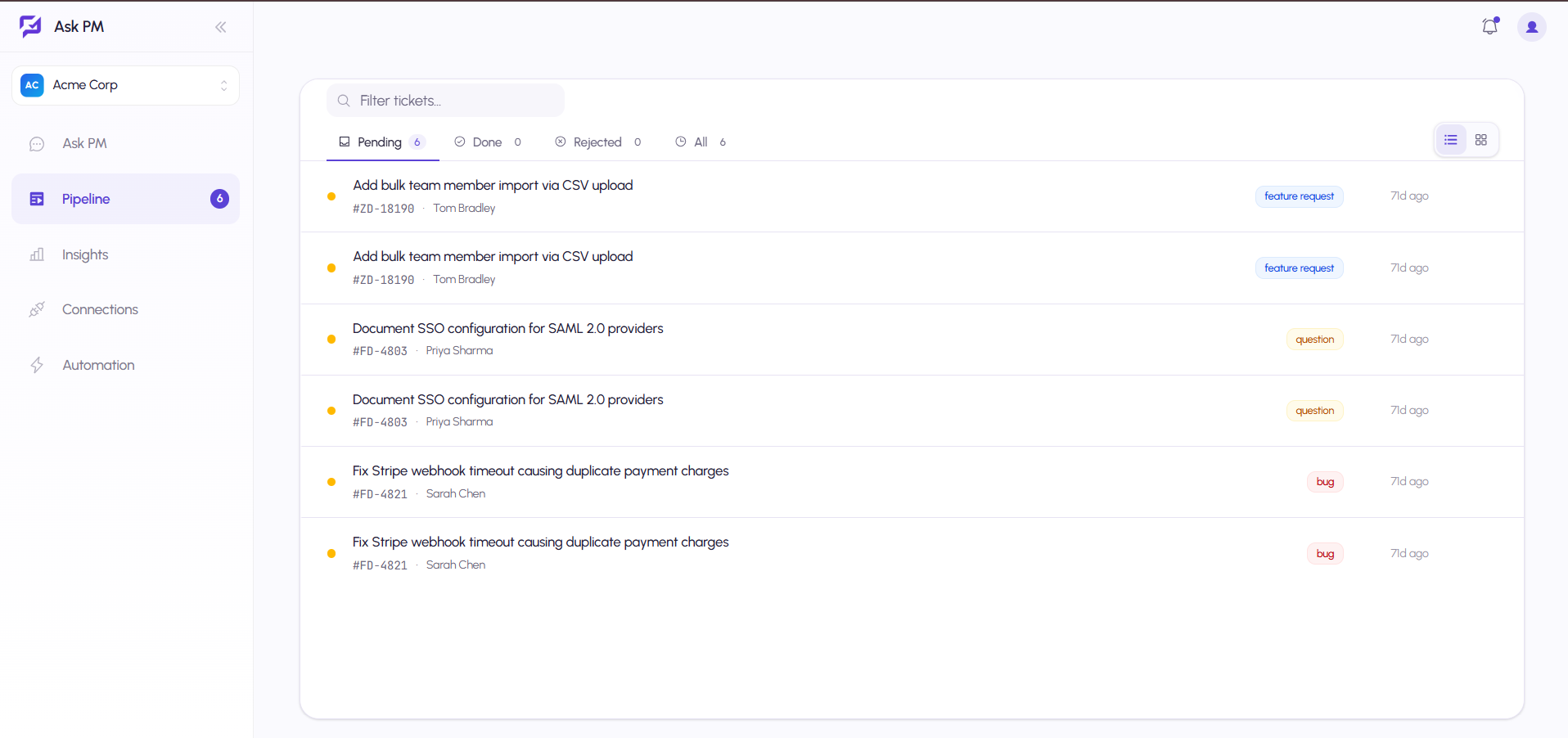
Separate triage, pipeline, and aggregate reporting surfaces make it difficult to see the current stage and the next required action.
Automation Trust Risk
Aggressive automatic filing or dispatch can create noise unless every decision has explicit guardrails, confirmation, and an audit trail.
Grounded Answers, Guarded Escalation
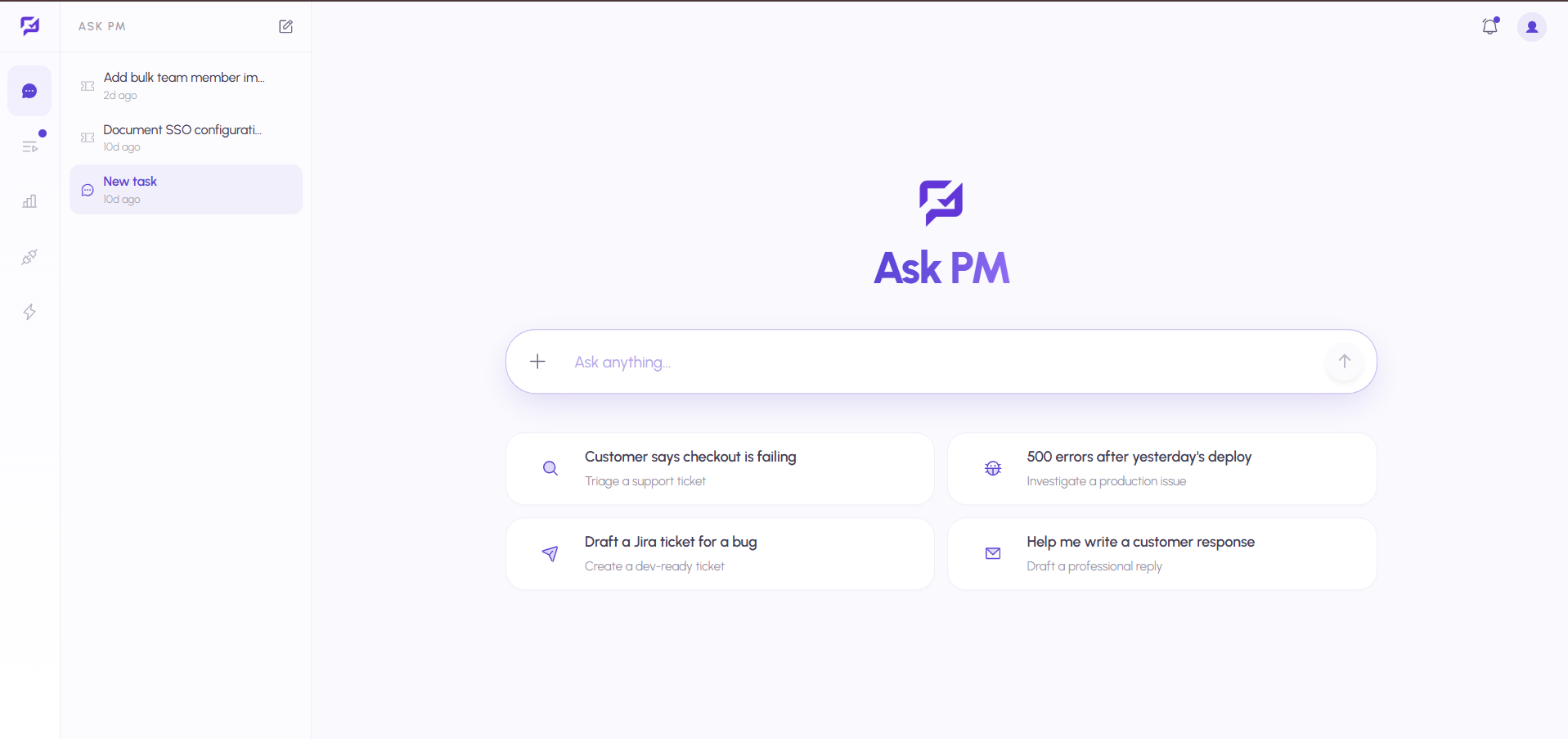
Ask PM is a guarded, code-aware product operations workspace. It answers simple questions from connected repositories and product documentation in read-only mode. For bugs, suggestions, or major issues, it drafts a categorized and severity-scored ticket, explains the proposal, and waits for explicit human confirmation before filing anything.
Global & Per-Ticket Chat
Ask a product question from anywhere or open chat from a ticket with its summary, code links, and history already loaded.
Read-Only Code Intelligence
Scans indexed repositories and product documentation to answer direct questions without editing code or opening pull requests.
Severity-Aware Classification
Uses the same rubric as Triage to separate simple questions from suggestions, bugs, and major issues.
Confirmation-First Ticket Filing
Pre-fills category, severity, and summary for serious issues, then waits for explicit confirmation before creating a ticket.
Six Human Ticket Actions
Accept & Send to Dev, Accept Non-Technical, Edit, Reject, Ignore, or Ask PM Agent—each with a distinct accountable outcome.
Email & Multi-Category Intake
Adds shared email as a ticket source and lets teams configure every issue category they actually support.
Actionable Delivery Insights
Surfaces stage throughput, cycle time, recommendation cards, and accept/reject precision for chat-originated tickets.
Connections, Rules & Themes
Brings source mapping and automation rules into one configuration area with workspace controls and full light/dark design tokens.
See It In Action
Intuitive interface designed for optimal user experience and maximum productivity
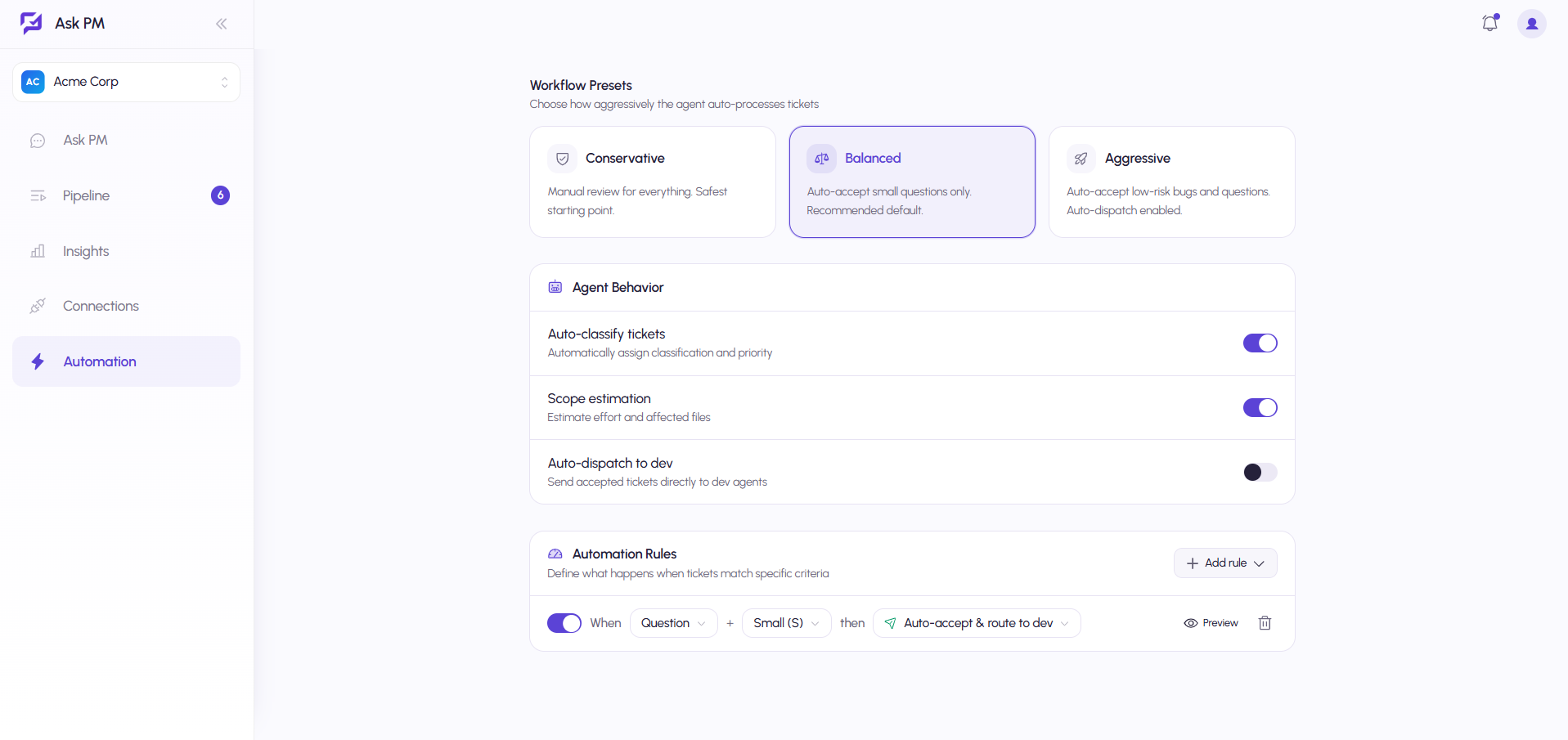
Guarded workflow presets, configurable agent behavior, and rule-level previews for safe ticket automation
Technical Excellence
Built with production-ready technologies and enterprise-grade architecture patterns for scalability, security, and compliance.
Knowledge
- Indexed Code
- Product Docs
- Severity Rubric
Workflow
- Ticket Triage
- Event Audit Log
- Automation Rules
Integrations
- Email Intake
- Repositories
- Dev Agents
Grounded Chat Decisioning
- • Read-only repository and product-doc access
- • Inline answers with relevant citations
- • Shared severity rubric with Triage
- • Out-of-scope question refusal
Human-Controlled Triage
- • Ticket proposal before creation
- • Explicit confirmation required
- • Six distinct ticket outcomes
- • Conversation linked to created ticket
Accountable Operations Layer
- • Delivery stage on every ticket
- • Recommendation-driven Insights
- • Chat-ticket precision tracking
- • Consolidated connections and automation
Results & Impact
Production-ready platform delivering measurable improvements and real-world impact.
Key Achievements
Self-Serve Support Triage
Gives Customer Service a safe path to answer product questions or escalate complete tickets without constant PM interruption.
Guardrails Before Automation
Separates inline answers from ticket-worthy issues and prevents silent filing through explicit confirmation.
Clearer Product Operations IA
Defines one obvious home for ticket status, delivery insight, and configuration instead of overlapping utility pages.
Measurable AI Accountability
Tracks chat-originated ticket acceptance and rejection while preserving a distinct audit trail for every human action.
Give Support a Direct Line to Product Intelligence
Use grounded AI to answer product questions, improve ticket quality, and move confirmed work into delivery without losing human control.